

Easy net worth tracking for households
Track your net worth, not your coffee money.
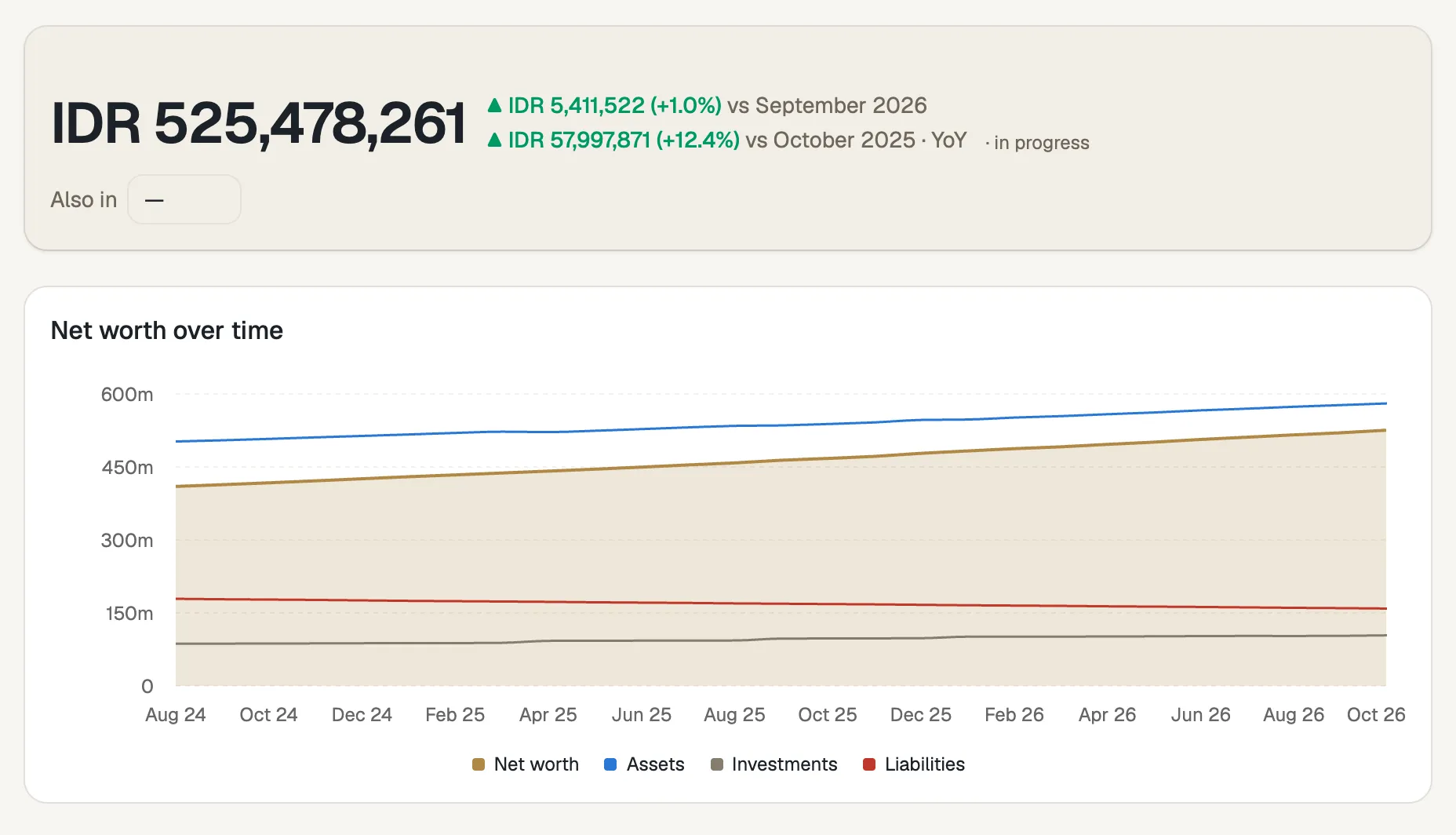
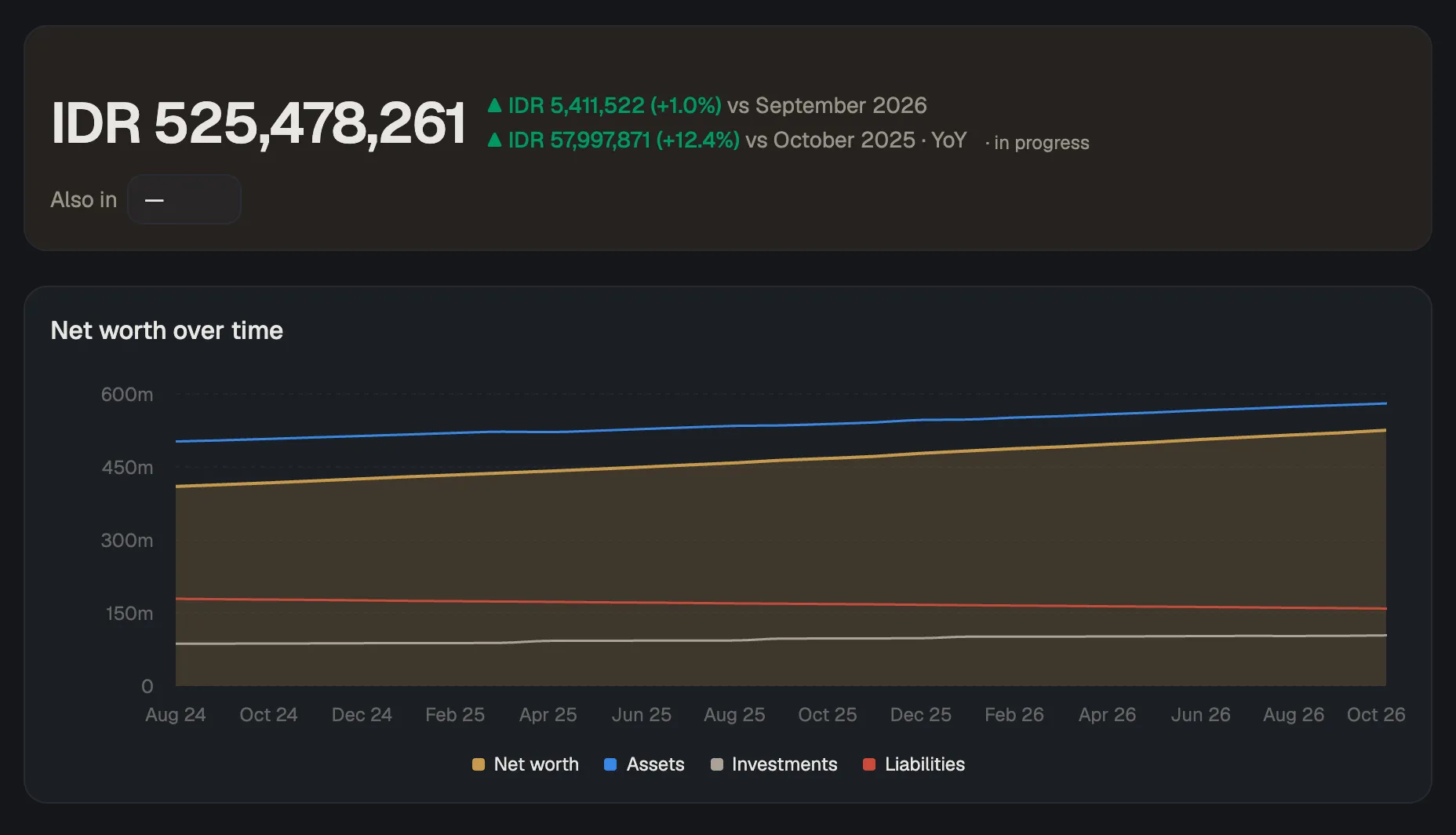
Each month you enter your balances; Balances tracks your net worth.
No signup. The demo is a shared account, and its data resets nightly.
- AGPL-3.0 open source
- Self-hostable
- Multi-currency
Net worth The last 12 month-ends
How it works
Enter your balances once a month.
- One number per position
- Straight off the statement
- About ten minutes
- No bank sync
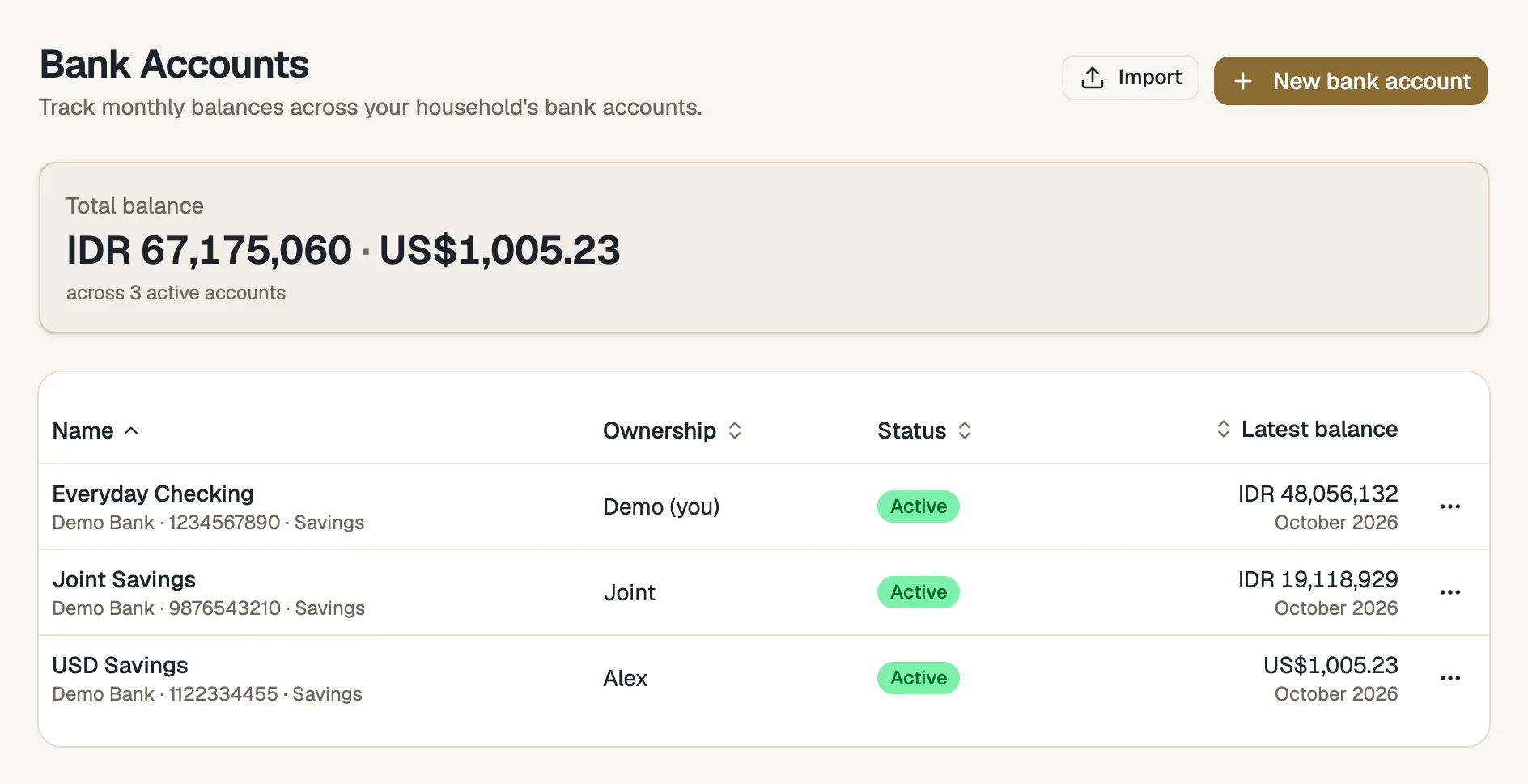
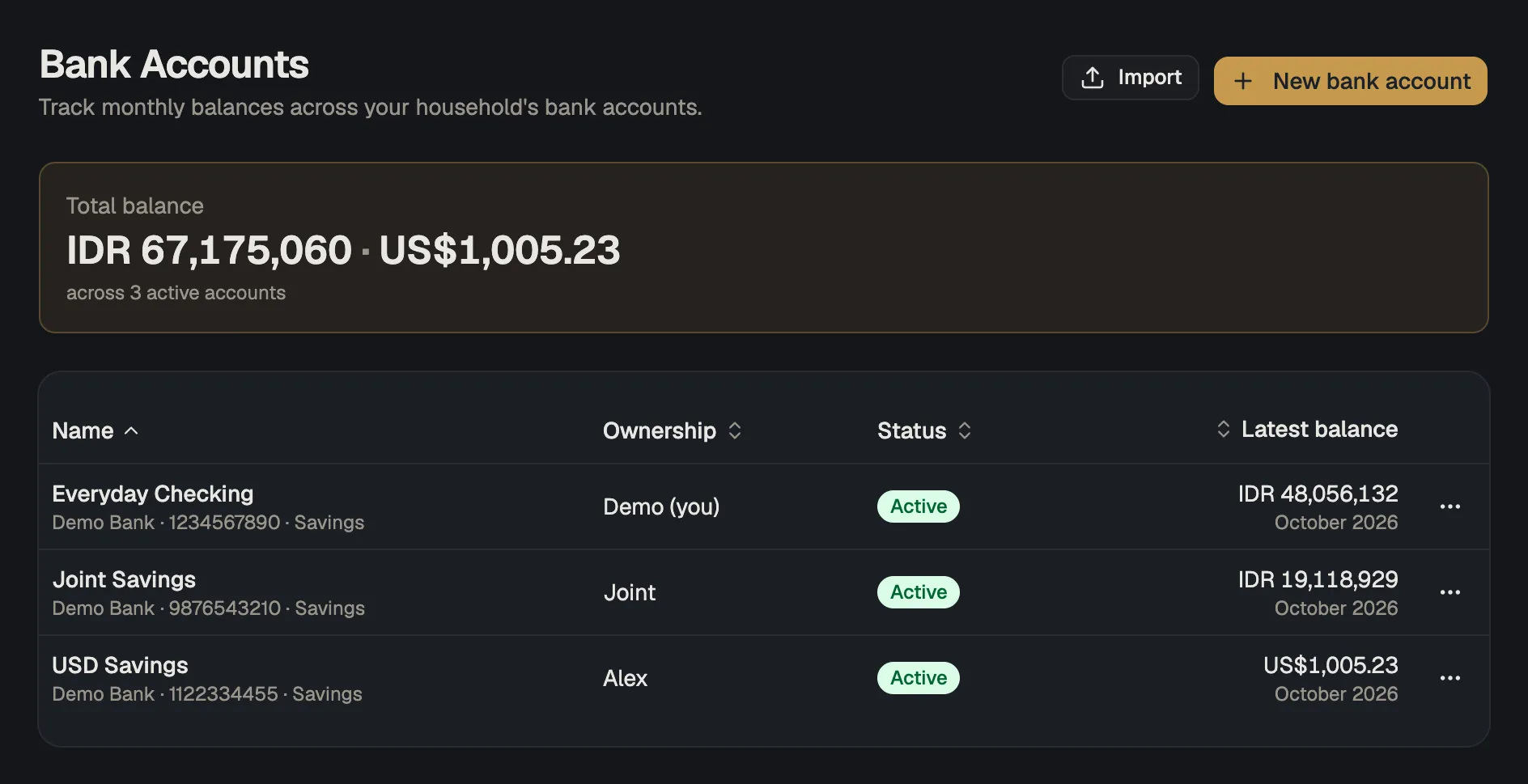
Step 1 · Add
Add your positions
Bank accounts, property, vehicles, investments, debts: anything your household owns or owes.
Step 2 · Enter
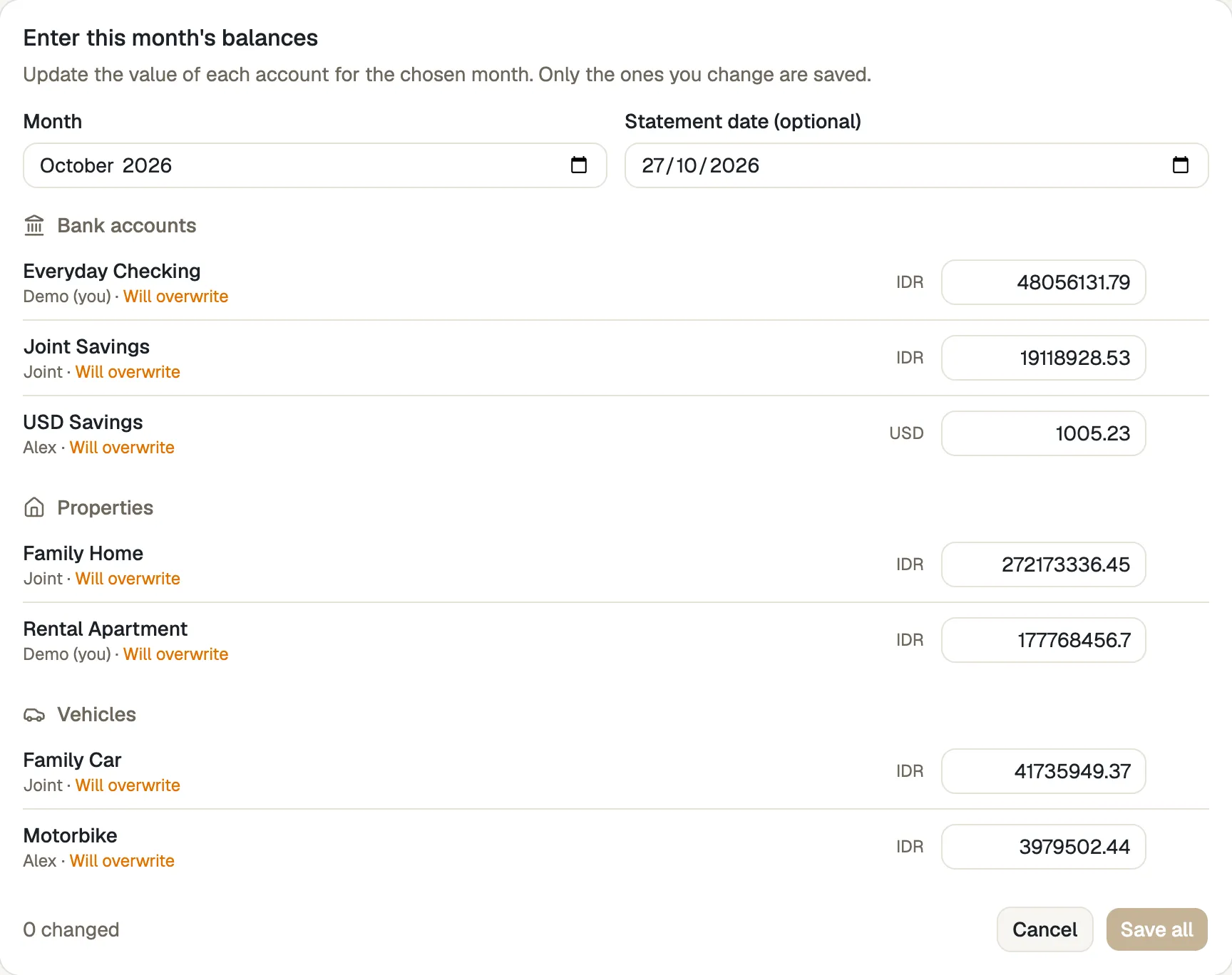
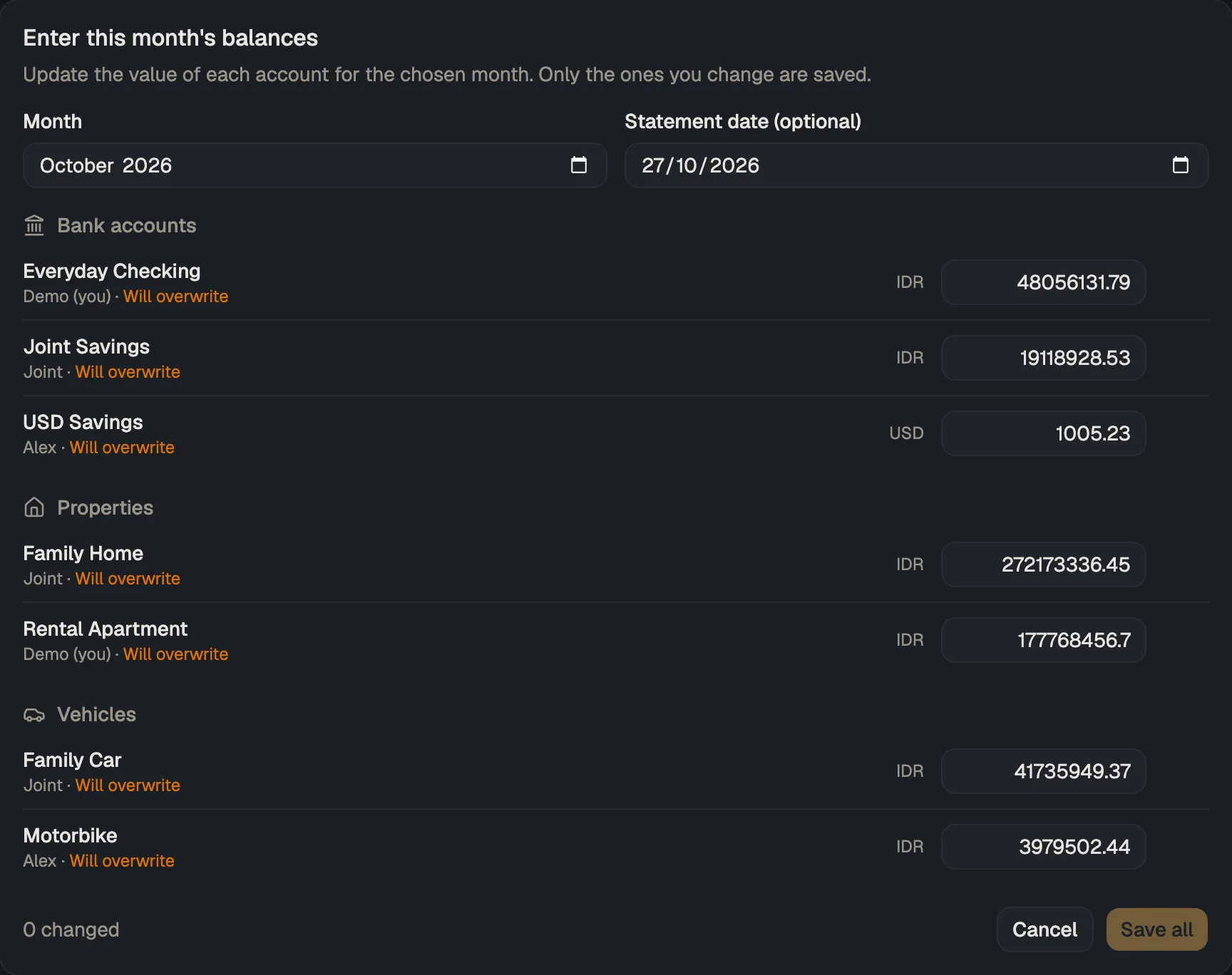
Enter month‑end balances
Every position on one form, straight off the statement.
Step 3 · Watch
Watch your net worth
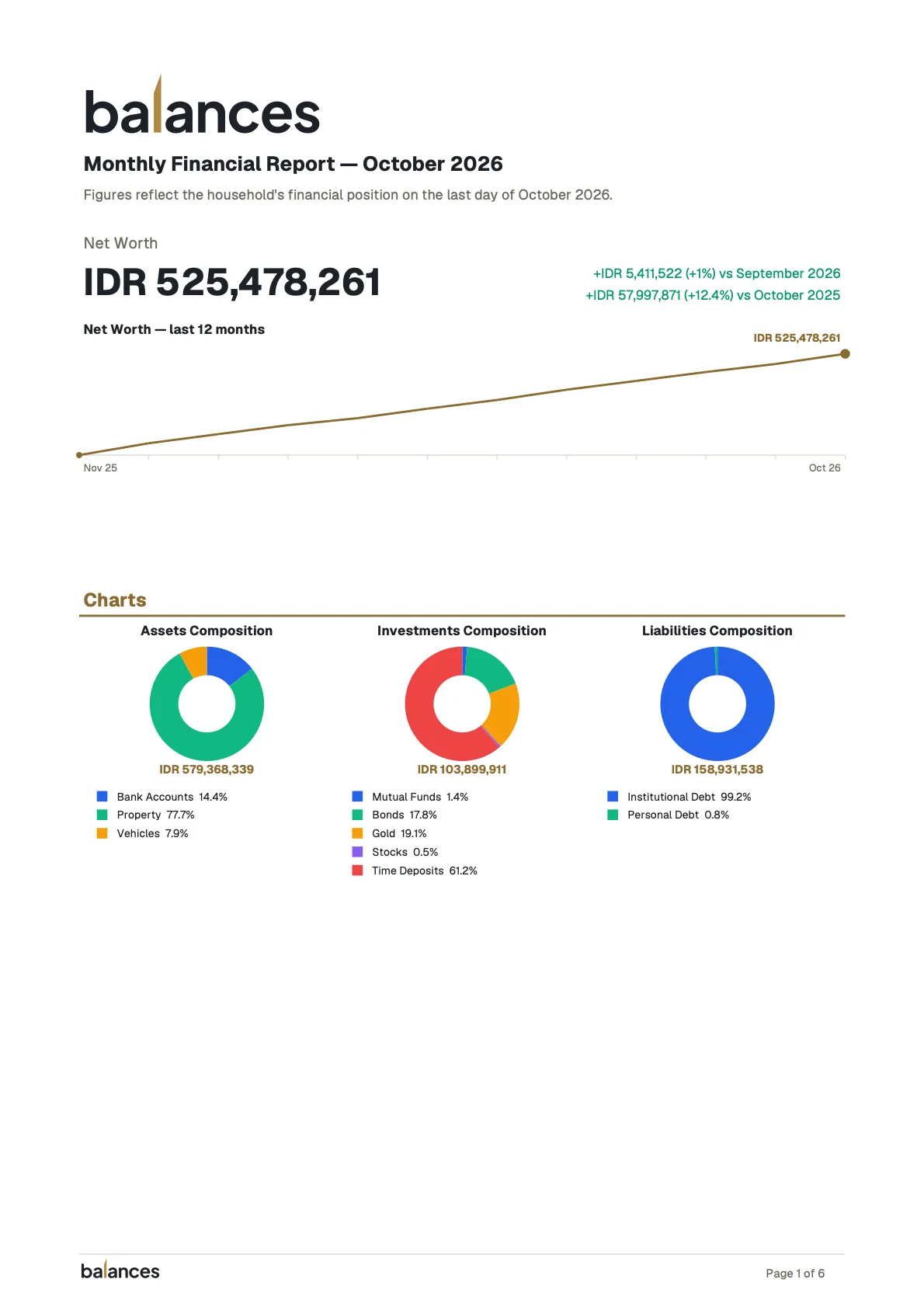
Balances charts it month by month, across every position.
Cadence
Why monthly is enough
Net worth doesn’t move by the hour. It moves when a paycheck lands, a mortgage payment posts, a market month closes. Sampling it more often than monthly mostly records noise.
A month-end balance is also the easiest number to trust: it’s printed on the statement, so there’s nothing to reconcile and no missed transaction to chase.
Say your household has two bank accounts, a mortgage, a car, and a retirement fund. That’s five positions: five numbers, maybe ten minutes with your statements. Twelve rows later you have a year. Keep going and you have a trend.
Once a month is little enough work that you’ll still be doing it in year five.
What it tracks
Everything in one place
Net worth only means something when it covers the whole picture, including the illiquid things with no transactions to sync.
Assets
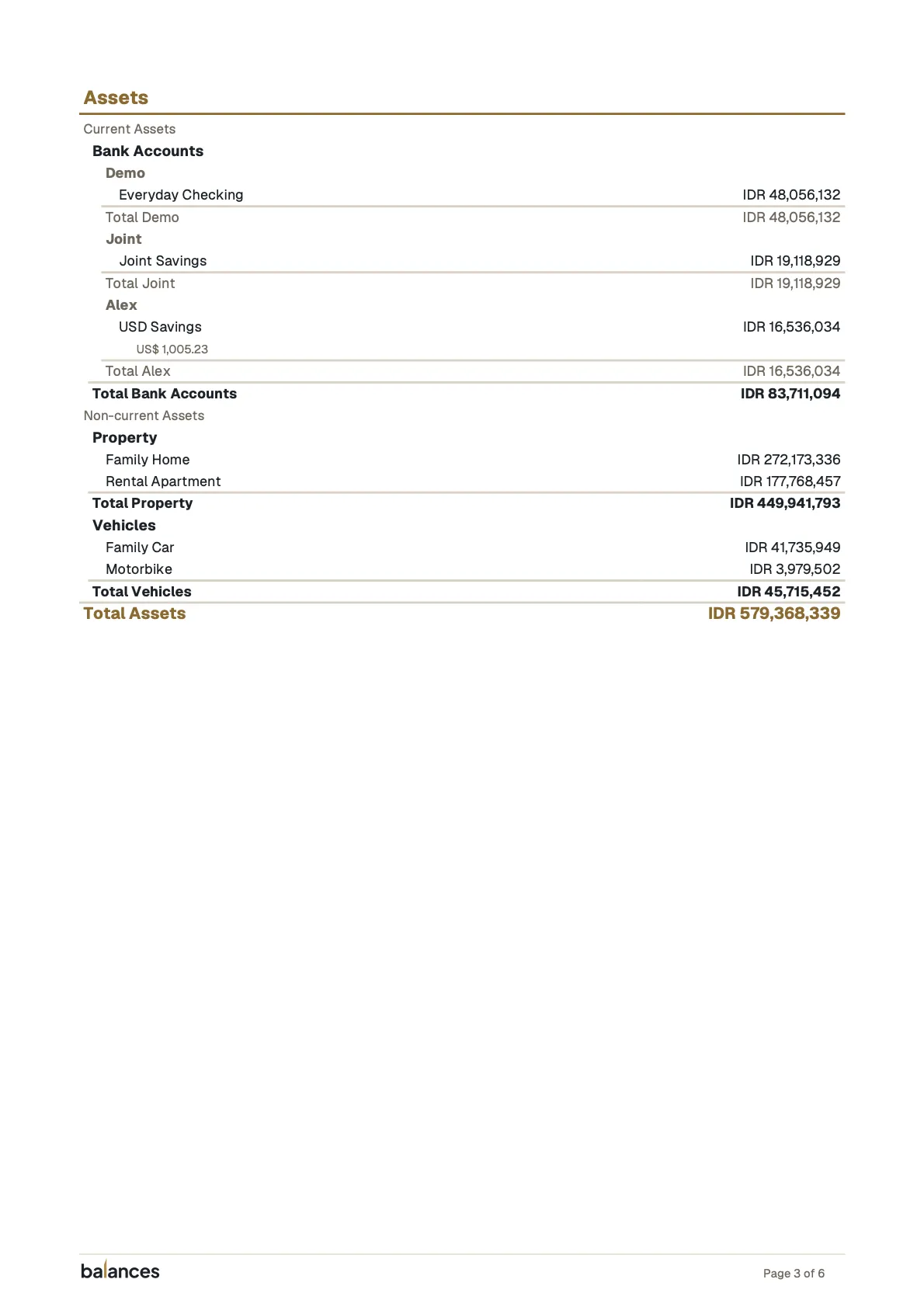
Bank accounts, property, vehicles: things of value that aren’t investment instruments.
Liabilities
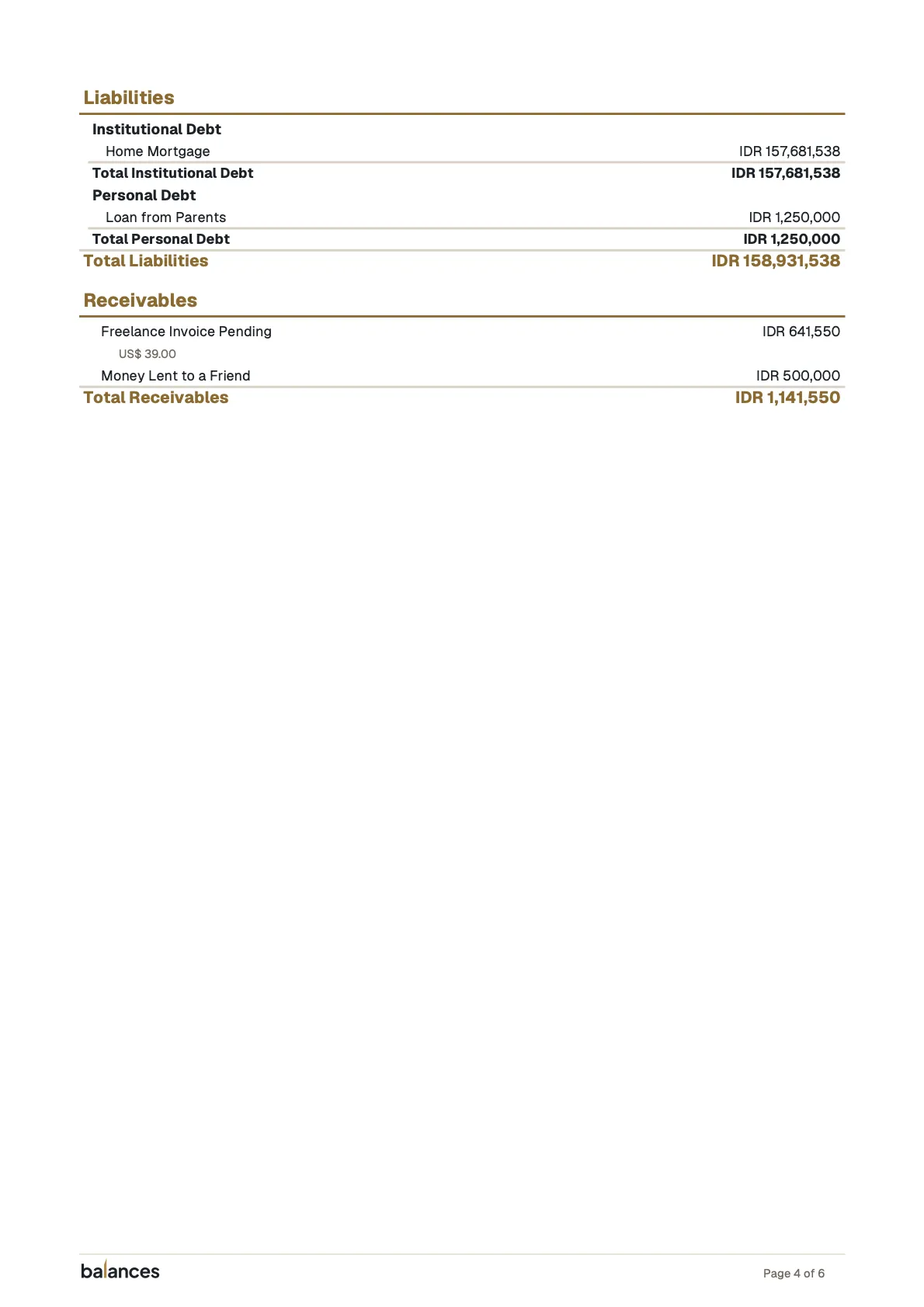
Mortgages, bank loans, credit-card balances, and the informal money owed to family.
Receivables
Money owed to your household by someone else, so it stops falling through the cracks.
Investments
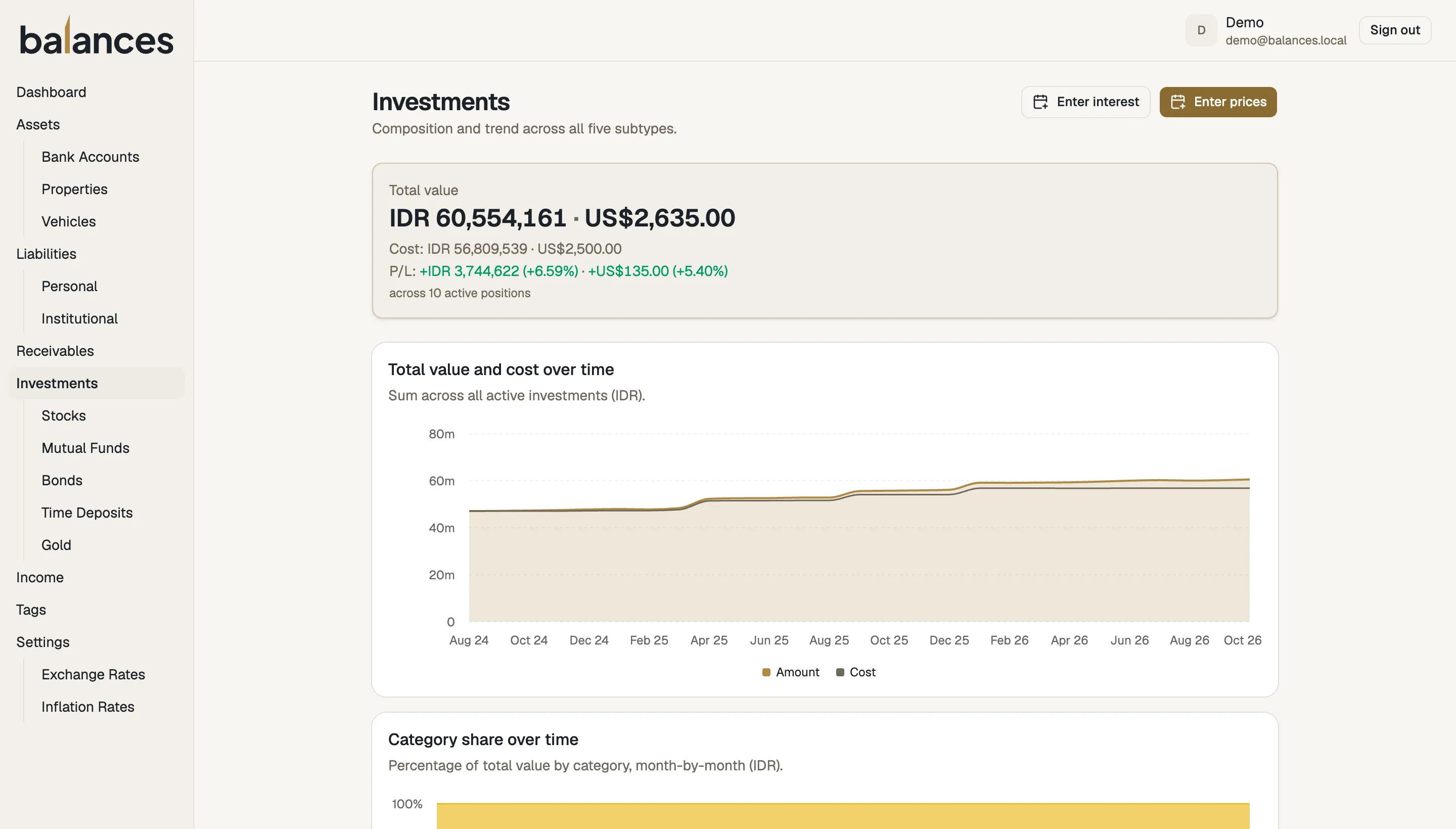
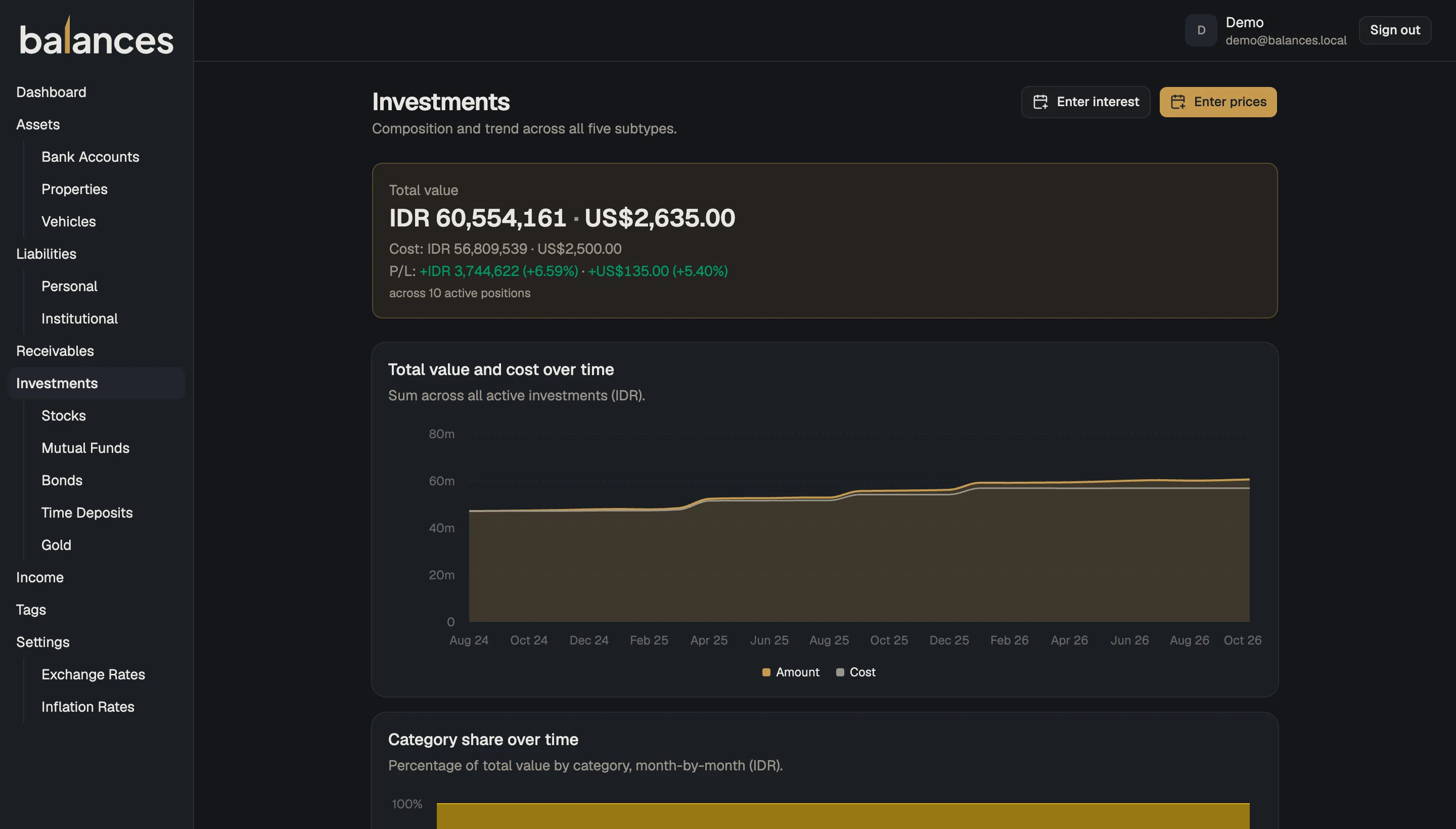
Stocks, mutual funds, bonds, gold, and time deposits, with a ledger for buys, sells, and income.
Monthly report
A report, every month
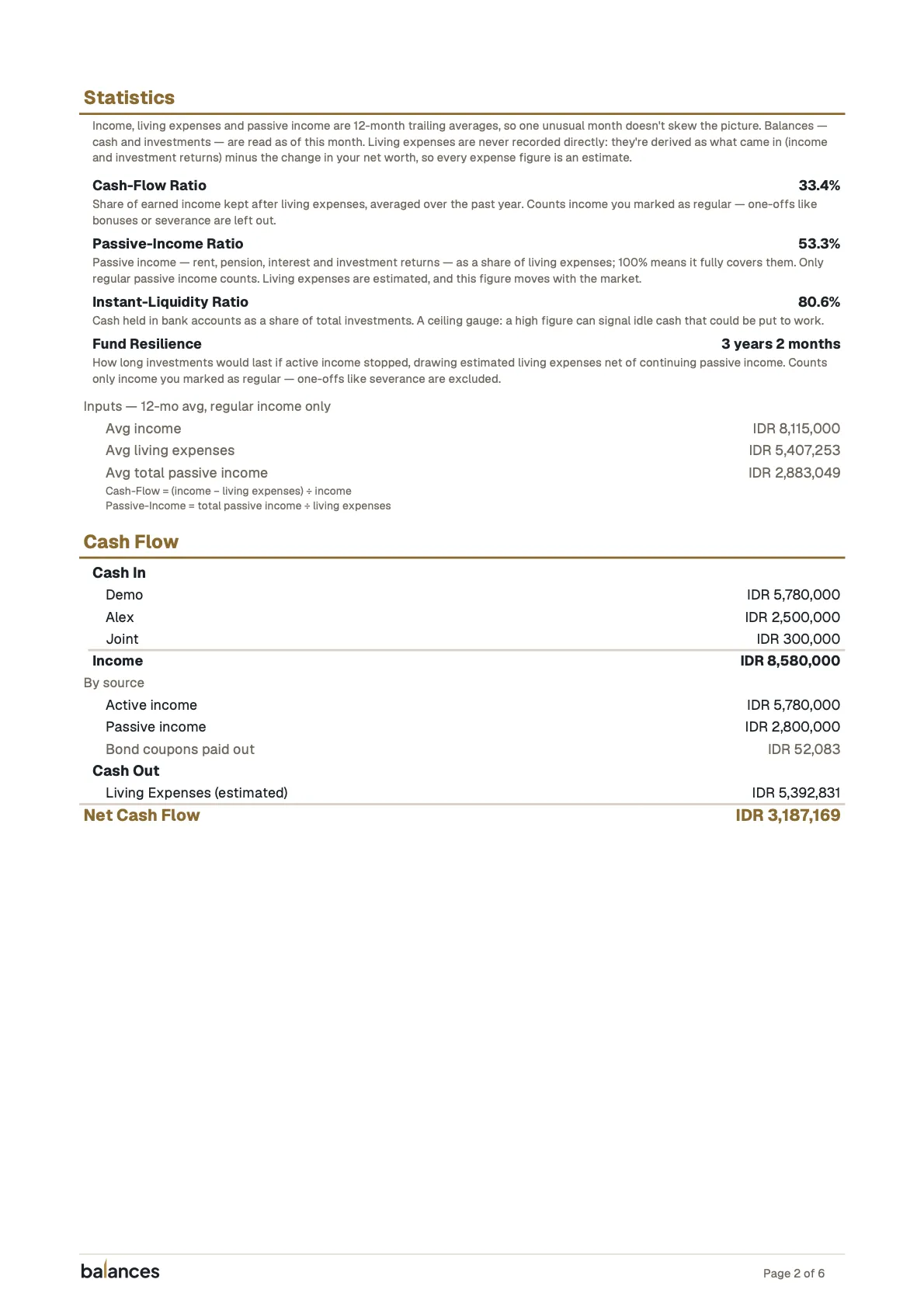
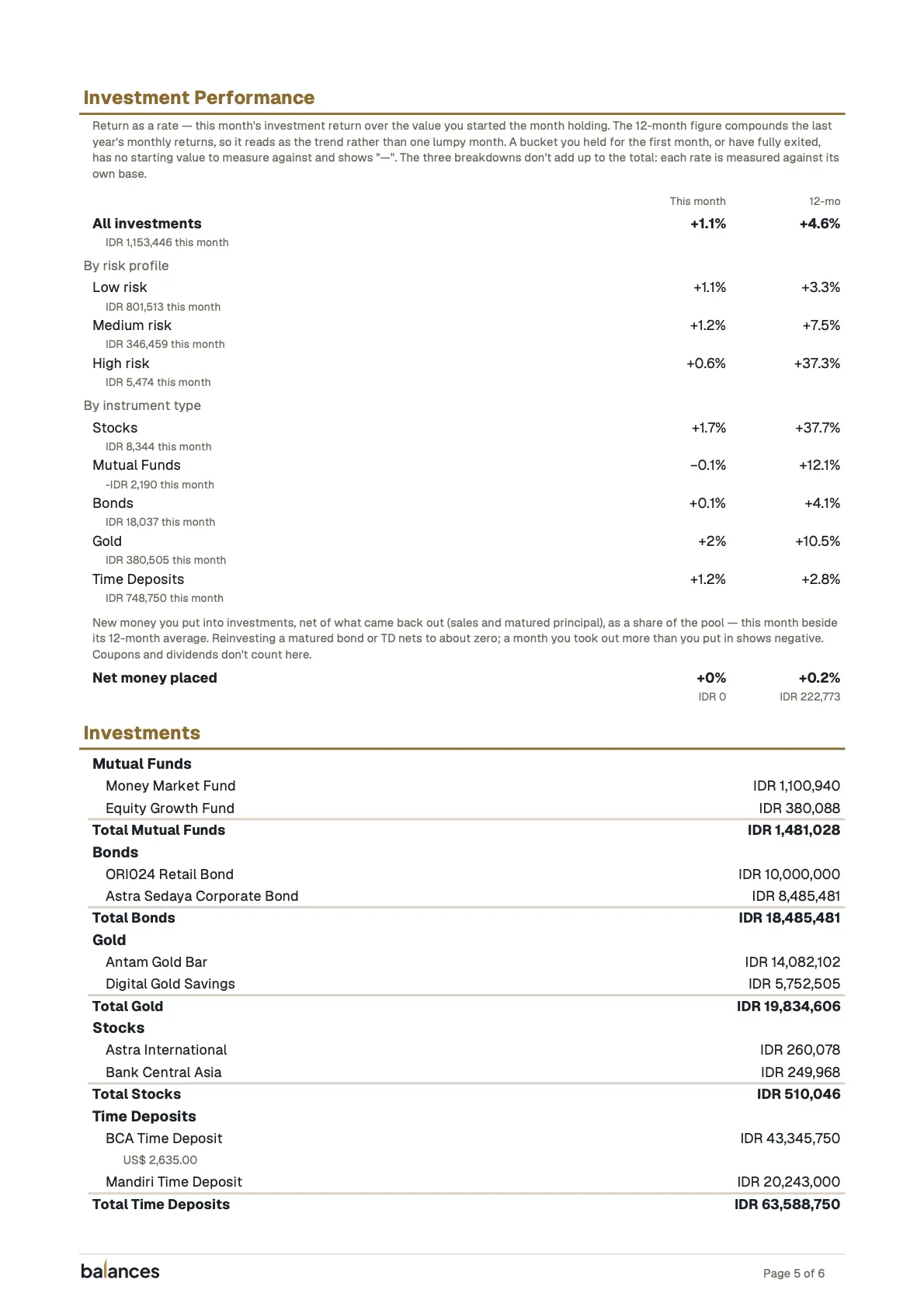
Every month, Balances generates a PDF report, ready to save or share: the net-worth chart, the household’s financial statistics, and a full breakdown by position.
Non-feature
Not a budgeting app
- Net worth over years
- Not included:
Transaction feeds - Not included:
Spending categories - Not included:
Envelopes - Not included:
Bank sync
Leaving those out is deliberate. Budgeting apps answer “where did my coffee money go?” Balances answers a different question: “is my household building wealth over time?”
If you love itemising every purchase, keep your budgeting app. Balances sits above it, tracking the number that actually moves: your net worth.
Origin
Why I built Balances
I’ve been recording my household’s finances since 2011, before I was married, and with real discipline since my second year of marriage. I did it in GNU Cash for about three years, then a self-hosted Firefly III, then Google Sheets. The daily cadence broke me every time: sit down at the computer, enter the day’s transactions, dread the ones I’d missed. The spreadsheets survived longest, and grew to twelve workbooks.
Balances replaces all of it with one app and one habit I can actually keep: once a month, I enter the balances. I built it for my own household first. Building it in the open sharpens my engineering practice, and means you can use it for yours.
Raditya (kerti), maintainer
Open source
Yours to run
Your household’s net worth lives where you put it.
Docker Compose
A released image and PostgreSQL, started with
docker compose up. Nothing to build.Backup & export
Back up or export the whole household whenever you like.
Translatable
English and Bahasa Indonesia, chosen per person and saved to their account. Numbers and dates follow the language.
Self-hosting means upgrades, backups and HTTPS are yours to look after. The guide walks through each.
FAQ
Common questions
What does it cost?
Nothing. Balances is open source under AGPL-3.0. You run it on your own server, and a small one is enough: 1 GB of memory and one CPU.
Is there a hosted version I can sign up for?
No. Balances only runs where you install it. The live demo is a shared account that resets every night, so it’s for looking around, not for your real numbers.
What do I need to run it?
A machine with Docker and Docker Compose. You download two files, set a few values in .env, and run docker compose up. People can sign in with Google, or you can turn on email and password accounts and skip Google entirely. The self-hosting guide covers HTTPS, upgrades and backups.
Does it connect to my bank?
No, and it never asks for your bank login. You read the month-end balance off the statement and type it in. Nothing is scraped and nothing syncs.
Can my partner use it too?
Yes. A household can have more than one member. You invite them, and everyone in the household sees and edits the same positions.
What if I miss a month?
Nothing breaks. Each position keeps its last balance until you enter a new one, and Balances lists the positions that are behind so you can catch up.
Can I track more than one currency?
Yes, once you turn multi-currency on. Each position keeps its own currency. You enter a month-end exchange rate, and Balances converts everything to your household’s reporting currency.
Can I contribute?
Yes. Bug reports, fixes and features go through GitHub. For anything bigger than a typo, open an issue first so the approach can be agreed before anyone writes code. The contributing guide covers setup and how a change gets merged.
Balances ships in English and Bahasa Indonesia. If you’d like to add a language, open an issue to start the conversation.
Get started
Start with this month’s balances.
Look around the demo first, or run your own copy today.
No signup. The demo is a shared account, and its data resets nightly.